Double the caseswithout double the work
Sound too good to be true?
Let us explain“I spend all day firefighting.”
A fee earner’s maximum caseload is capped by how many emails they can handle and how much case information they can keep in their head.
Until now.
Fee earner hours per yearHours per case
Average fee per caseYour firm’s maximum revenueEvery minute saved per case is worth
£1,314Based on 30 completions a month and £1,000 in average fees.
per fee earner, per year.
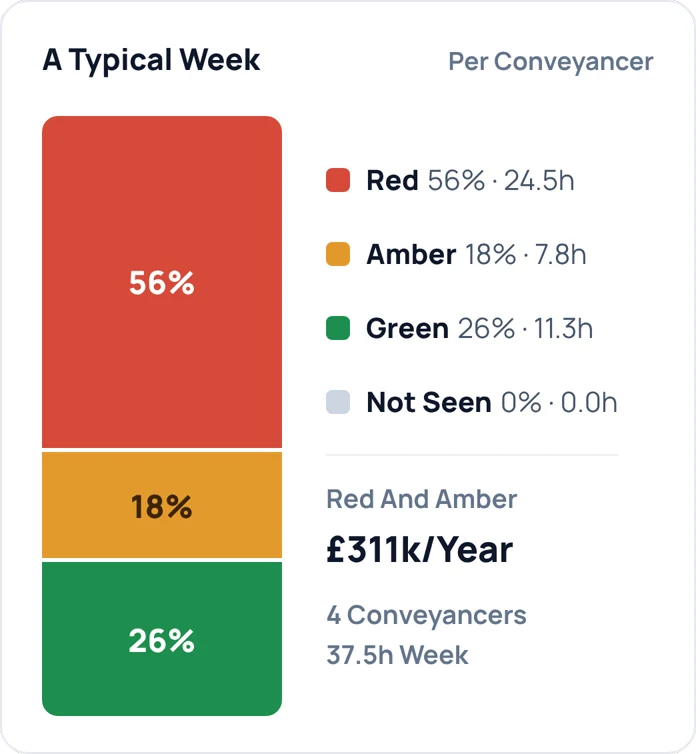

“We got set up on the call and our fee earners were able to handle 150 cases at a time by the end of that week.”
How it works
- 1
Save time
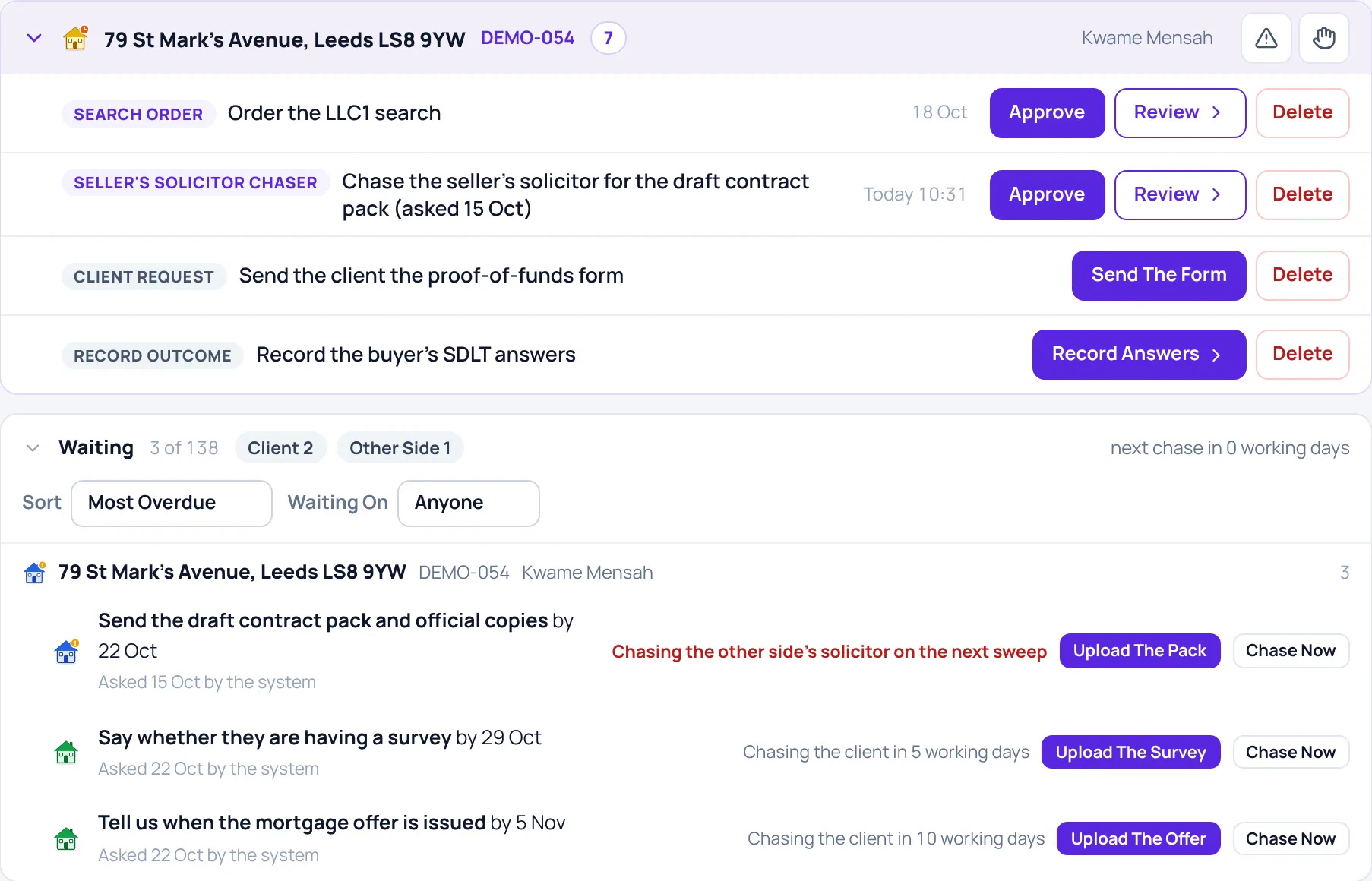
Tactically automate and delegate the tasks we identify as not critical for a conveyancer.
- 2
Save headspace
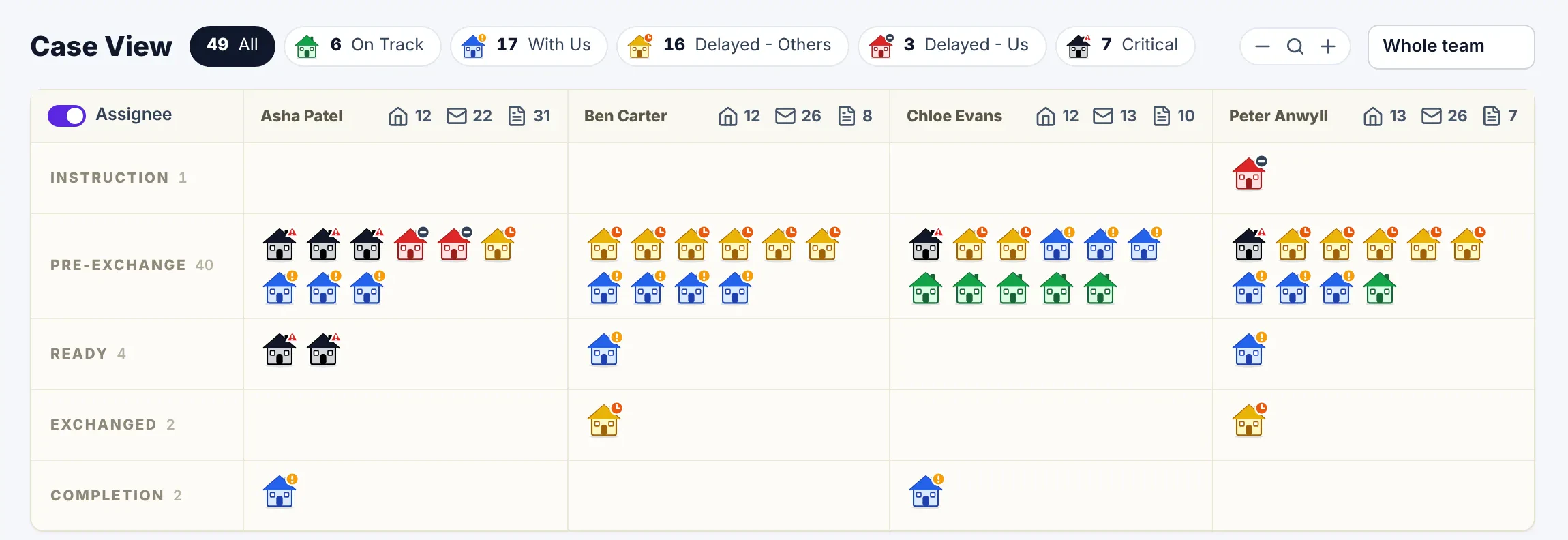
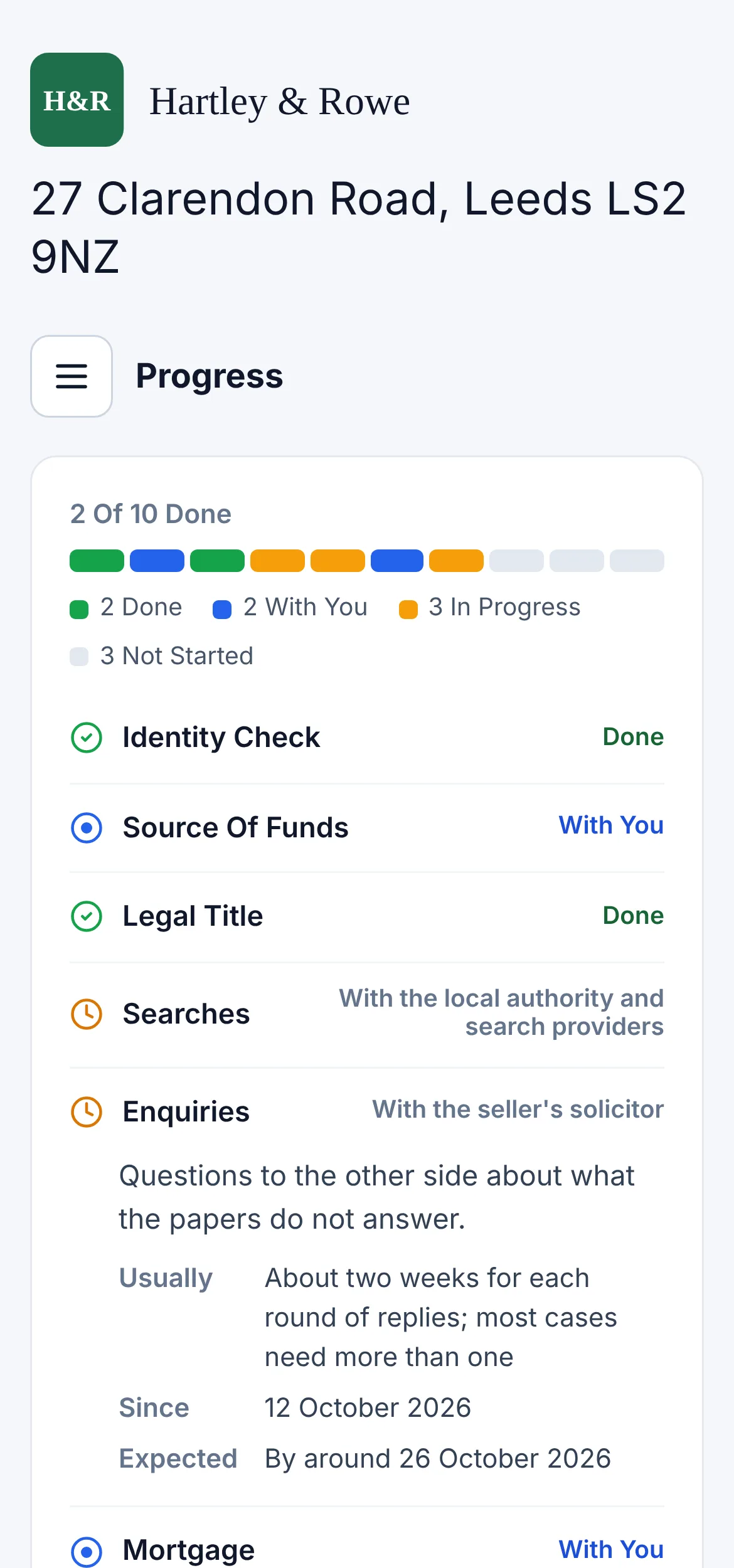
All your case information, at a glance - for you and your clients.
It’s free until we’ve doubled your capacity.
Then £80 per case -
only pay for what you use.
Sound good?
“It’s like installing a second brain.”
See it in 43 seconds
Questions
- Will it send something wrong?
- Nothing goes on its own until you switch that kind of message on. Exchange, completion and money always need a person.
- Do we have to change our case management system?
- No. CONVEYi works on top of InTouch, LEAP and Outlook. Nothing to migrate.
- How long does it take to set up?
- One onboarding call. We connect it to Outlook and your case management system, and measure your capacity on the same call.
- Where does our data go?
- Your emails and documents stay in your own Microsoft 365.
- What about payment fraud?
- A person signs off every payment. Bank details are verified by phone, spoofed senders are caught, and every step is recorded.
- What if we don’t double our capacity?
- Then you don’t pay. We measure your firm’s capacity before you start, and it’s free until that has doubled.